Ship when you want. Pay only for labels.

Ship Jay has no monthly fee, no minimum and no contract. Sign up, add funds and ship whenever an order comes in. The only thing you pay for is the labels you buy.

  • No monthly fees
  • See the price before you buy
  • Request a refund on a label you did not use
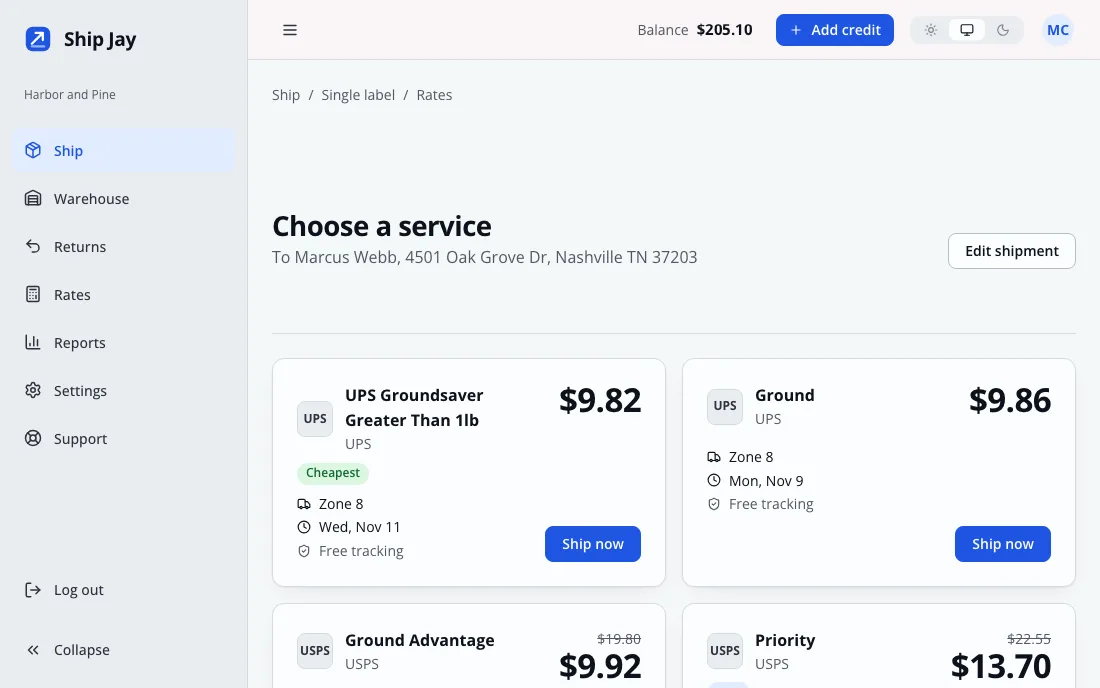
Carrier rates for one package listed side by side, with the cheapest and best services marked and a Ship now button on each
Rates for one package. Sample data from a demo account.

No monthly fees. Sign up and ship when you want.

$0
a month
$0
to sign up
None
minimum number of labels
None
contract to sign

Each label costs the price shown on the rate board. Read how pricing works.

Three steps from sign up to shipped

  1. Sign up

    Make an account with your email. There is nothing to pay and no card to enter.

  2. Add funds

    Top up your balance when you are ready to ship. Labels are paid from it.

  3. Ship

    Enter the package, compare prices, slide to buy and print. Do it today or next month.

Jay the blue jay on a packing desk beside a laptop showing the Ship Jay app, a label printer and a stack of boxes

Everything around the label, in one account

Buying the label is the quick part. The rest of the work is what happens before and after it, so that is what we built the rest around.

Compare every service before you pay

Enter the package once and see the price of every service available to you, with the cheapest, best and fastest marked. Slide to buy, then print. The label is saved to your account, so you can print it again later.

  • Insurance, signature and other add-ons
  • Customs forms for international parcels
  • Address checks before you buy
  • Saved packages and ship from addresses
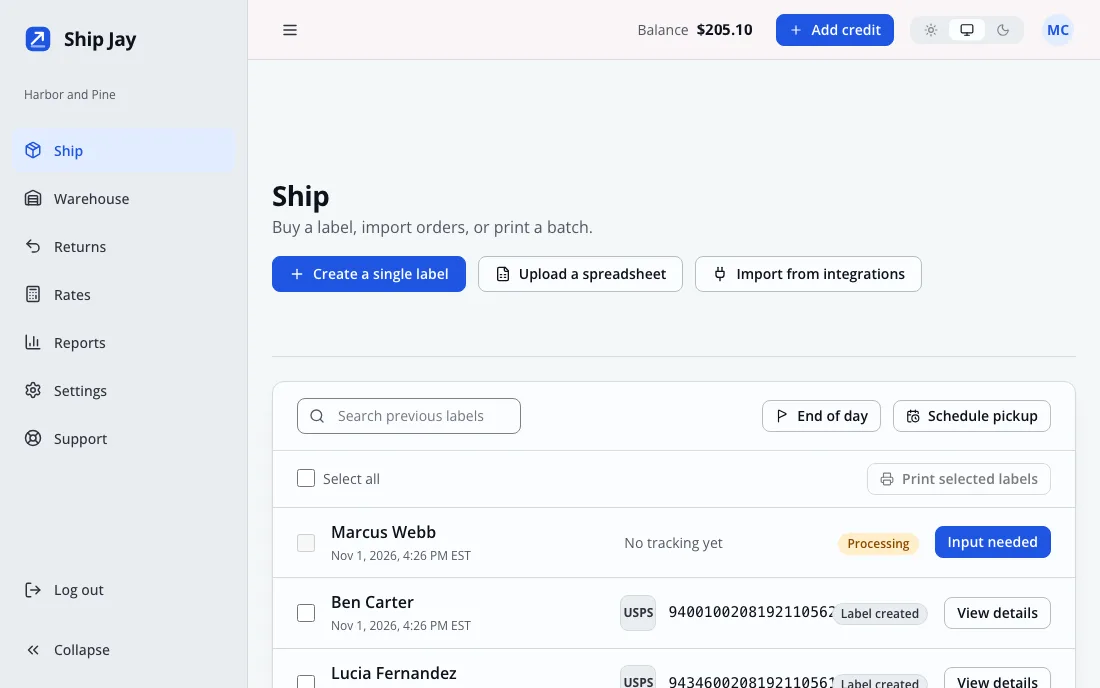
The Ship screen listing recent labels with recipient, tracking number and status

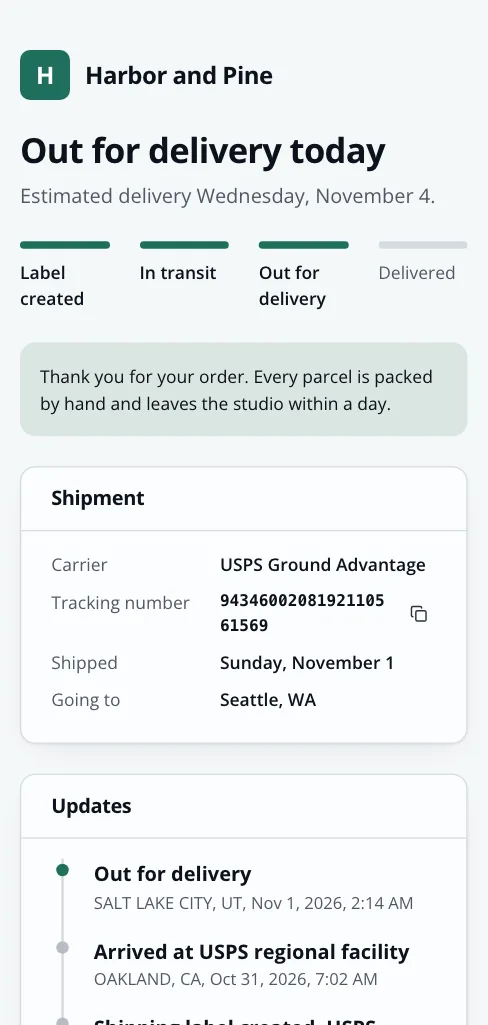
Tracking pages and emails in your name

Customers follow their parcel on a page with your name, your color and your own note. Carrier scans update it, and your customers get the emails you wrote at the delay you chose.

  • Your name, logo and color on every tracking page
  • Tracking emails sent from your own verified address
  • No app or account for your customer to set up
A tracking page on a phone in a seller's own color, showing Out for delivery today, a progress bar and a list of scans

A returns portal your customers can use alone

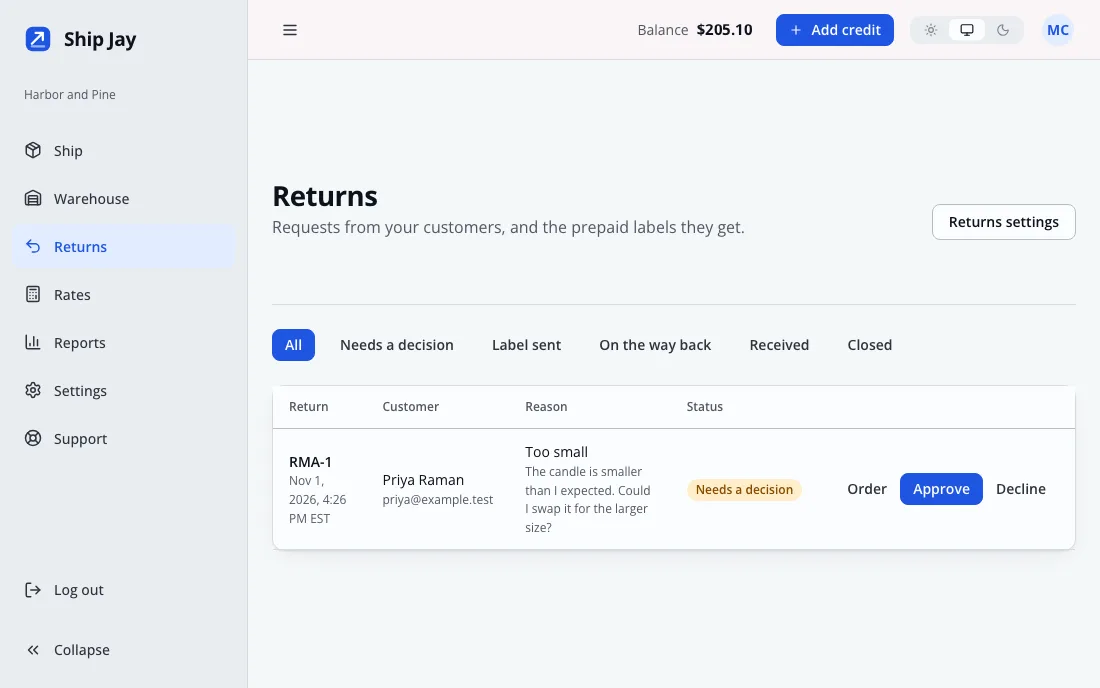
Customers enter their order number and email, choose a reason and add a note. You see the request, decide, and a prepaid return label goes to them by email. Switch on automatic approval if you would rather not decide each one.

  • Your return policy shown on the portal
  • Approve or reject with a reason
  • The return label is paid from your balance
The Returns screen with a return request waiting for a decision

Decide once how packages ship

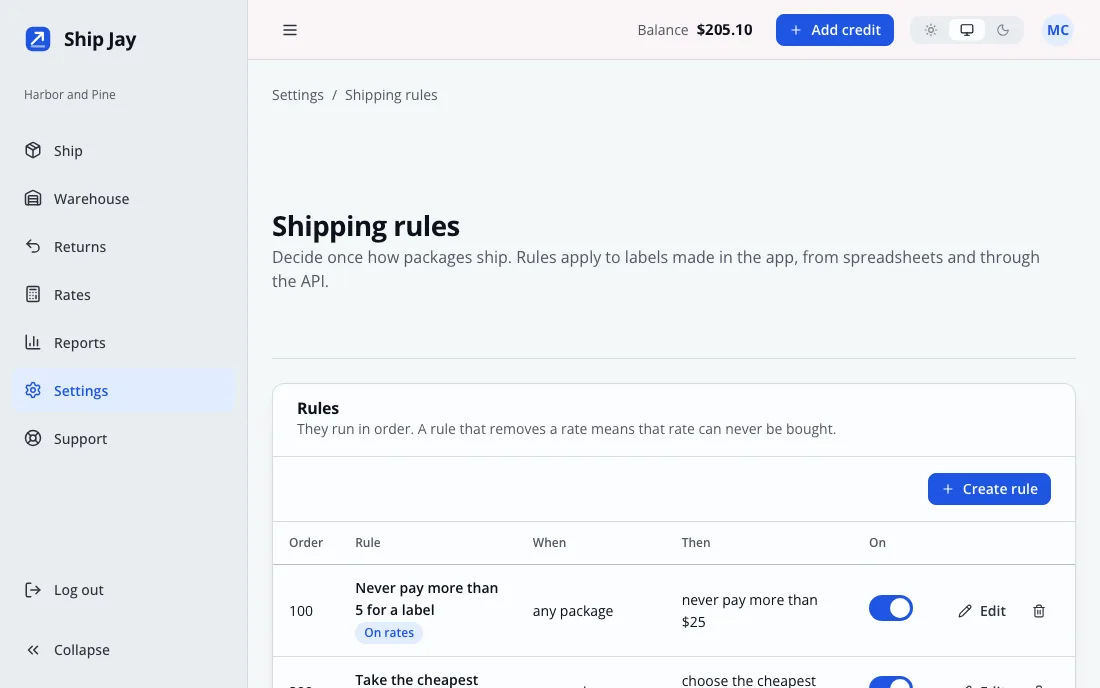
Write a rule and it applies to labels bought in the app, from a spreadsheet and through the API. Ask for a signature on valuable orders, hold international orders for review, cap what any label may cost, or pick the cheapest rate every time.

  • Rules run in the order you set
  • A blocked rate can never be bought, even by an API key
  • Plain sentences in the list, no code
The Shipping rules screen listing four rules, such as never pay more than $25 for a label

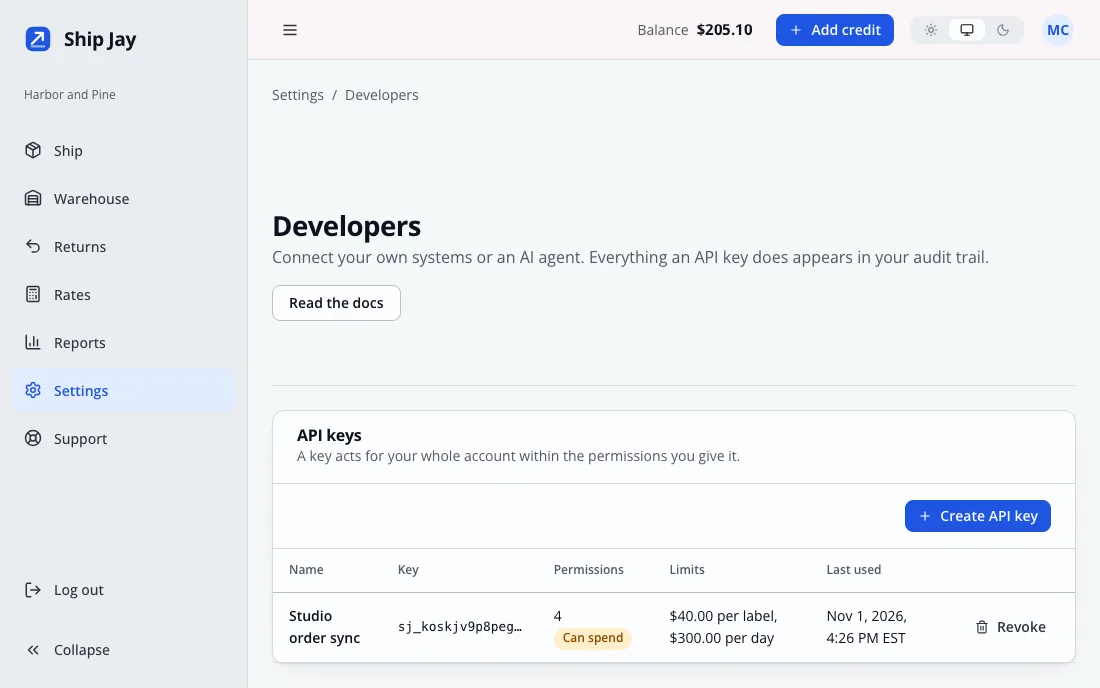
An API and an MCP server for your own tools and AI agents

Get rates, buy labels, start returns and read tracking from your own code, or let an AI assistant do it through MCP. Keys carry only the permissions you tick, and a key that can spend money can be capped per label and per day.

  • Repeat a purchase safely with an idempotency key
  • Signed webhooks for tracking, labels and returns
  • OpenAPI file for generating a client
Read the developer docs
The Developers screen with an API key limited to $40 per label and $300 per day, and a webhooks section

Stock, pick and pack

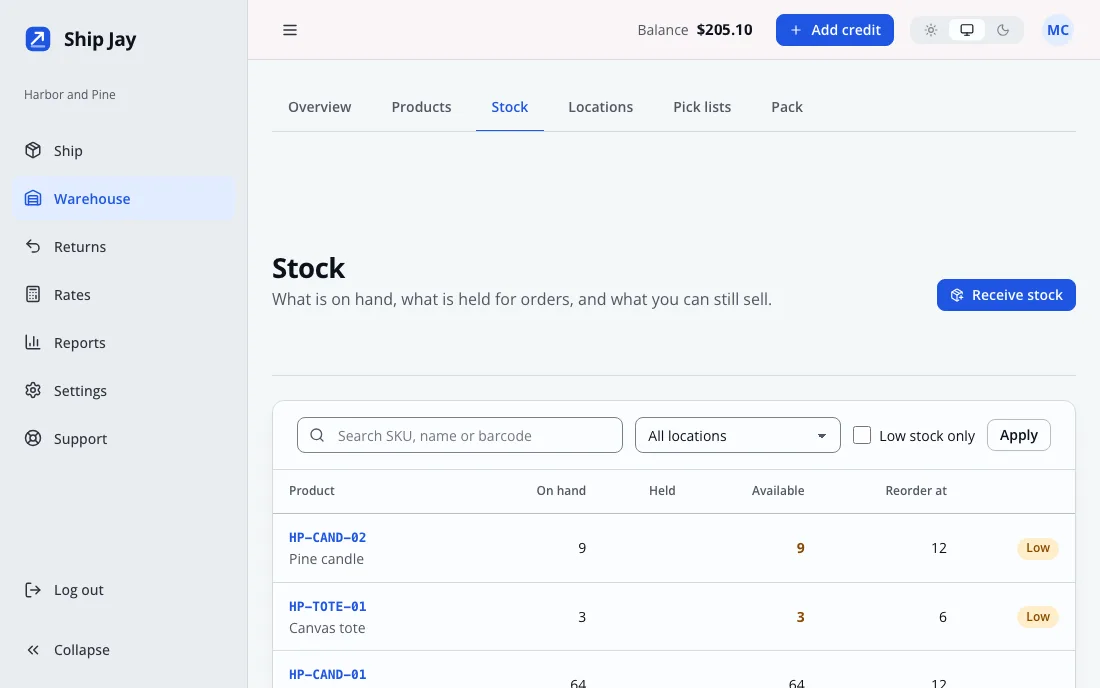
Keep a catalog with SKUs and barcodes, count stock by location and see what is low before an order cannot ship. Print a pick list, then pack by scanning, so the right item goes in the right box.

  • Import products and opening stock from a file
  • Low stock flagged against each reorder level
  • Packing starts a label with the weight and size already filled in
The Warehouse stock table with on hand, held and available counts and two items marked Low

A balance you can audit

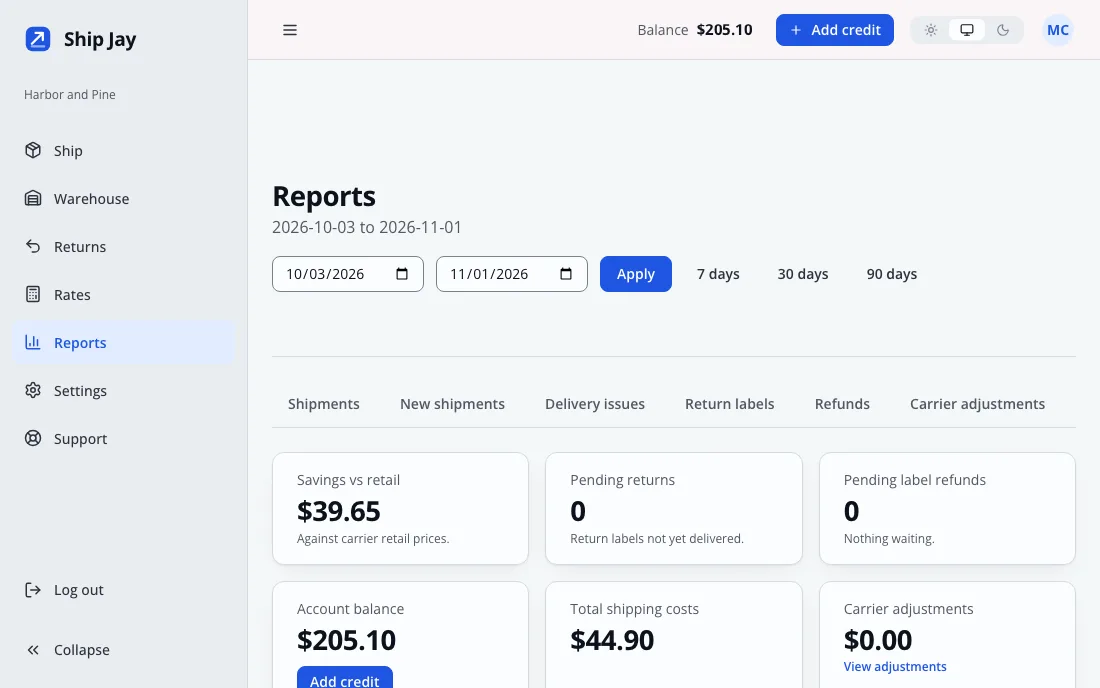
Funds go in. Labels, pickups, refunds and adjustments come out. Every movement is a line in your ledger and lines are never edited. Reports show what shipping costs, where parcels go and which ones ran into trouble.

  • Spend, zones and delivery problems for any date range
  • A refund is credited as its own line
  • Export your transaction history as a file
The Reports screen with balance, total shipping cost and spend charts

Screens show sample data from a demo account.

And the small things that save a day each month

Store connections

Connect Shopify, WooCommerce, Etsy or eBay. Paid orders collect in one list and tracking numbers go back to the store.

Spreadsheet batches

Upload up to 1,000 rows and buy every label in one go. Rows with problems are listed so you can fix them.

Pickups and end of day

Book a carrier pickup and print one scan form for the day, so the driver scans one code instead of every parcel.

Invoice checks

Carrier invoices are matched against your labels. A charge that does not fit shows in your ledger as its own line, and you can dispute it.

Your whole team

Invite teammates by email. Every change lands in an audit log with who made it and when.

Insurance and add-ons

Add insurance, a signature requirement or customs forms to a label. The cost is shown before you buy.

Questions people ask first

Something missing? Ask from the Support page once you have an account, or read the pricing page.

Is there a monthly fee?

No. Ship Jay has no subscription, no minimum number of labels and no contract. You add funds to your balance and each label is charged at the price you were shown when you bought it.

How do I pay for labels?

You top up your balance from the Billing page, and labels come out of it. The smallest top up is $5. Nothing renews on a schedule, so a quiet month costs nothing.

Which carriers can I use?

The rate board lists every service that is connected to the platform, with the carrier and service name beside each price. What you see depends on that setup.

What if I buy a label by mistake?

Request a refund from the label page. The carrier decides, and your balance is credited as soon as it approves.

Can I connect my store?

Yes. Connect Shopify, WooCommerce, Etsy or eBay and paid orders collect in one list. If you prefer, upload a spreadsheet of up to 1,000 rows or use the API.

Can my customers start their own returns?

Yes. Turn on the returns portal and your customers enter their order number and email, pick a reason and wait for your answer. When you approve, they get a prepaid label by email.

Can I automate shipping?

Yes. The public API lets your own systems get rates and buy labels, and the MCP server lets an AI assistant do the same. Every key has only the permissions you give it, plus optional limits on what one label and one day may cost.

Can my team share one account?

Yes. Invite teammates by email and they join your account. Every change is written to an audit log you can read.

Is my data kept apart from other sellers?

Yes. Each business's records are separated inside the database itself, not just in the application, so one account cannot read another's.

No monthly fee. Ship when you are ready.

Make an account in a couple of minutes. Add funds when your first order comes in.

Create your account